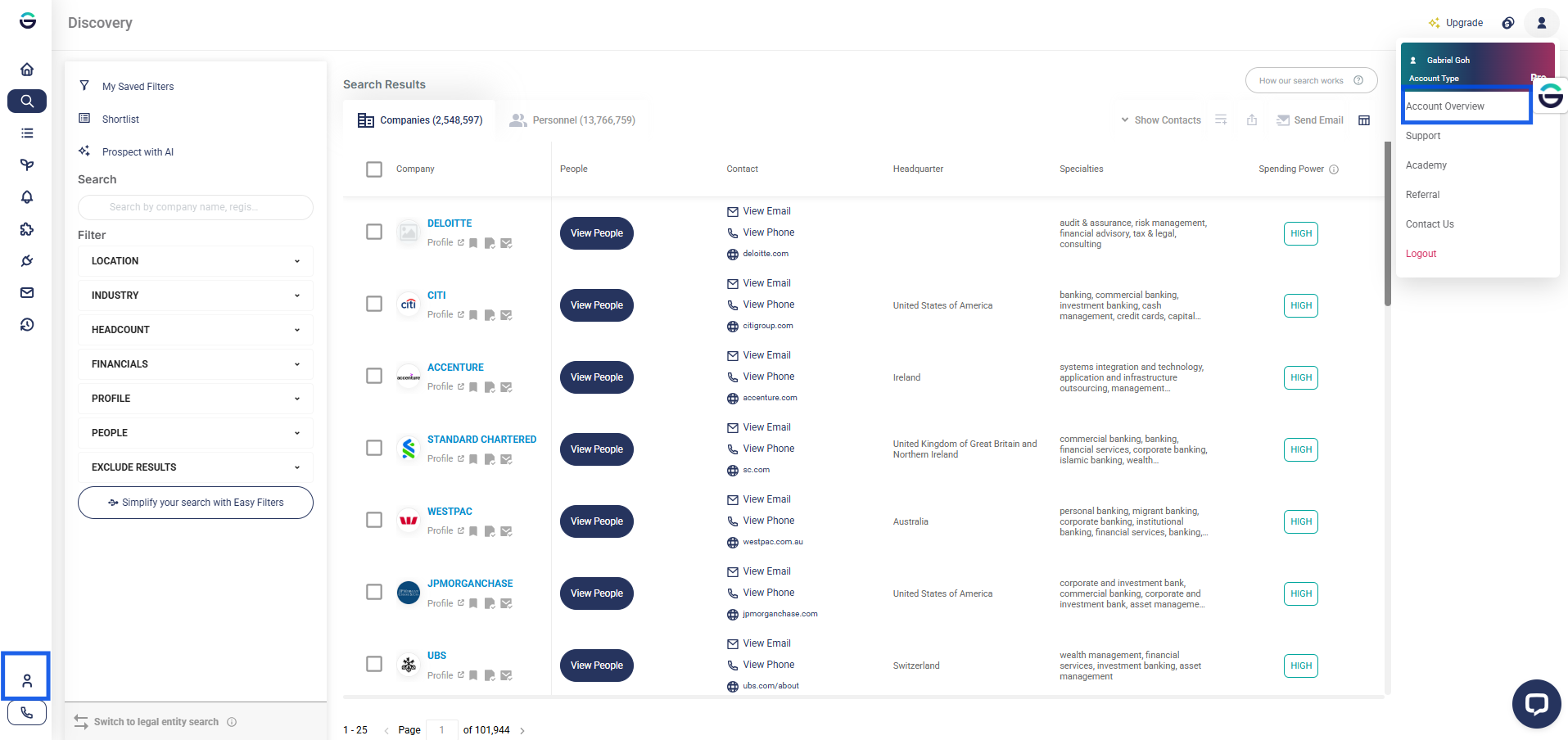
- Log in to your account and go over to Account Overview.
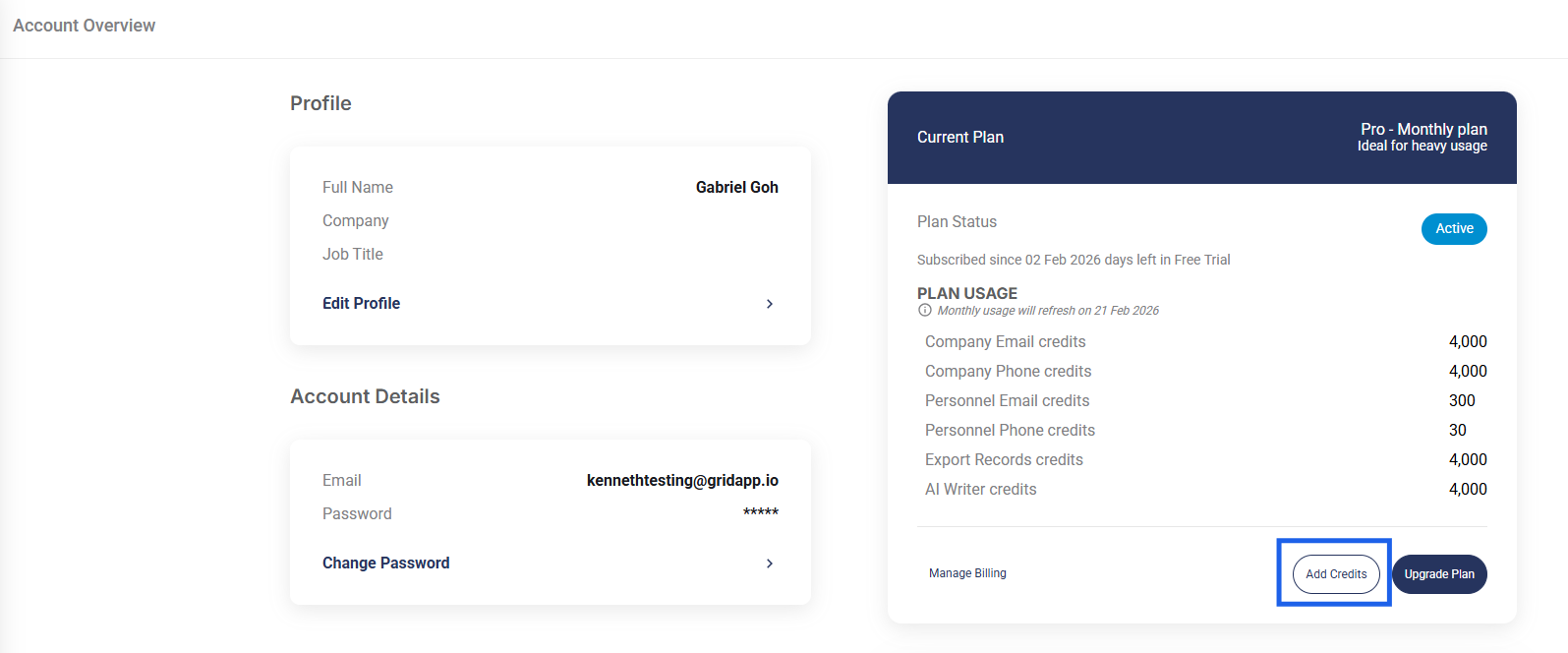
- Within the Current plan table, click on Add Credits.
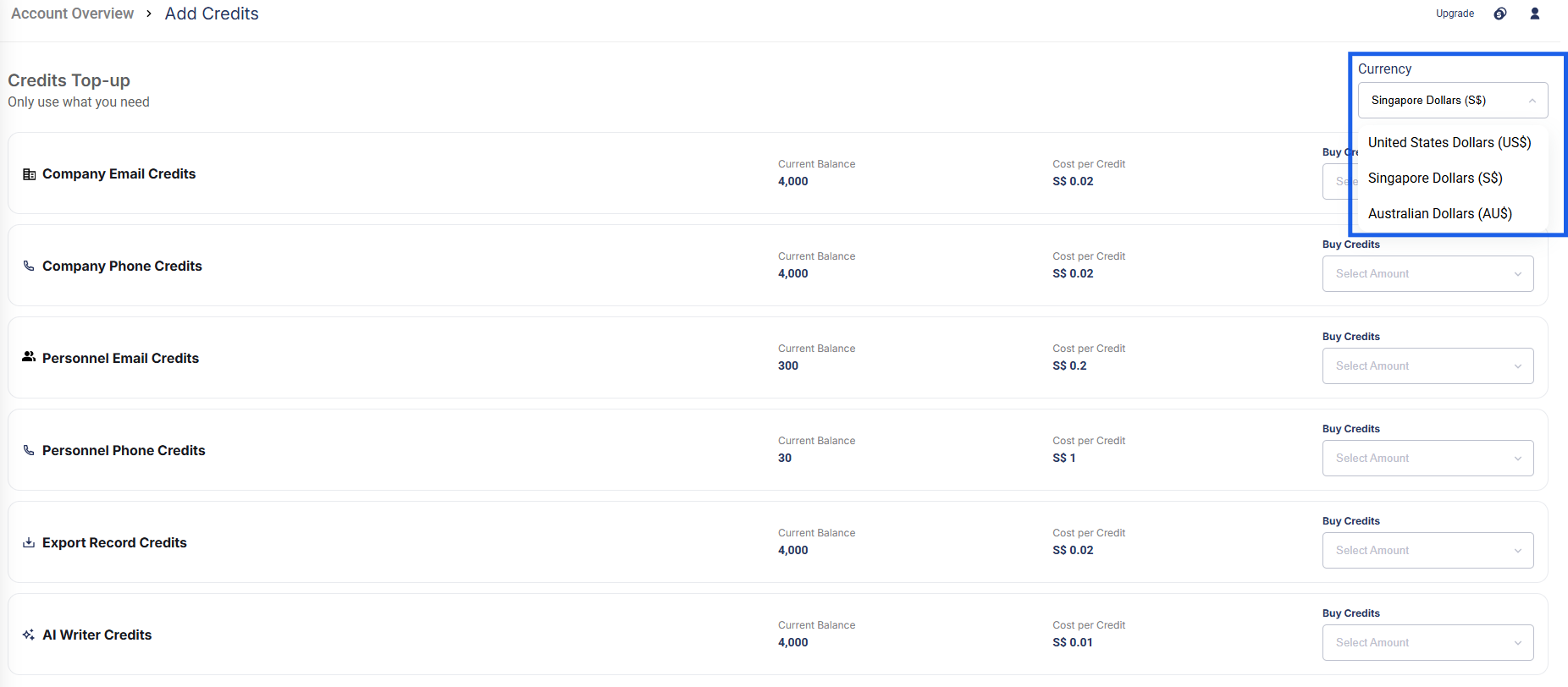
- Next, a list of available credit top-up options will be displayed. Select the credits and quantity you wish to purchase.
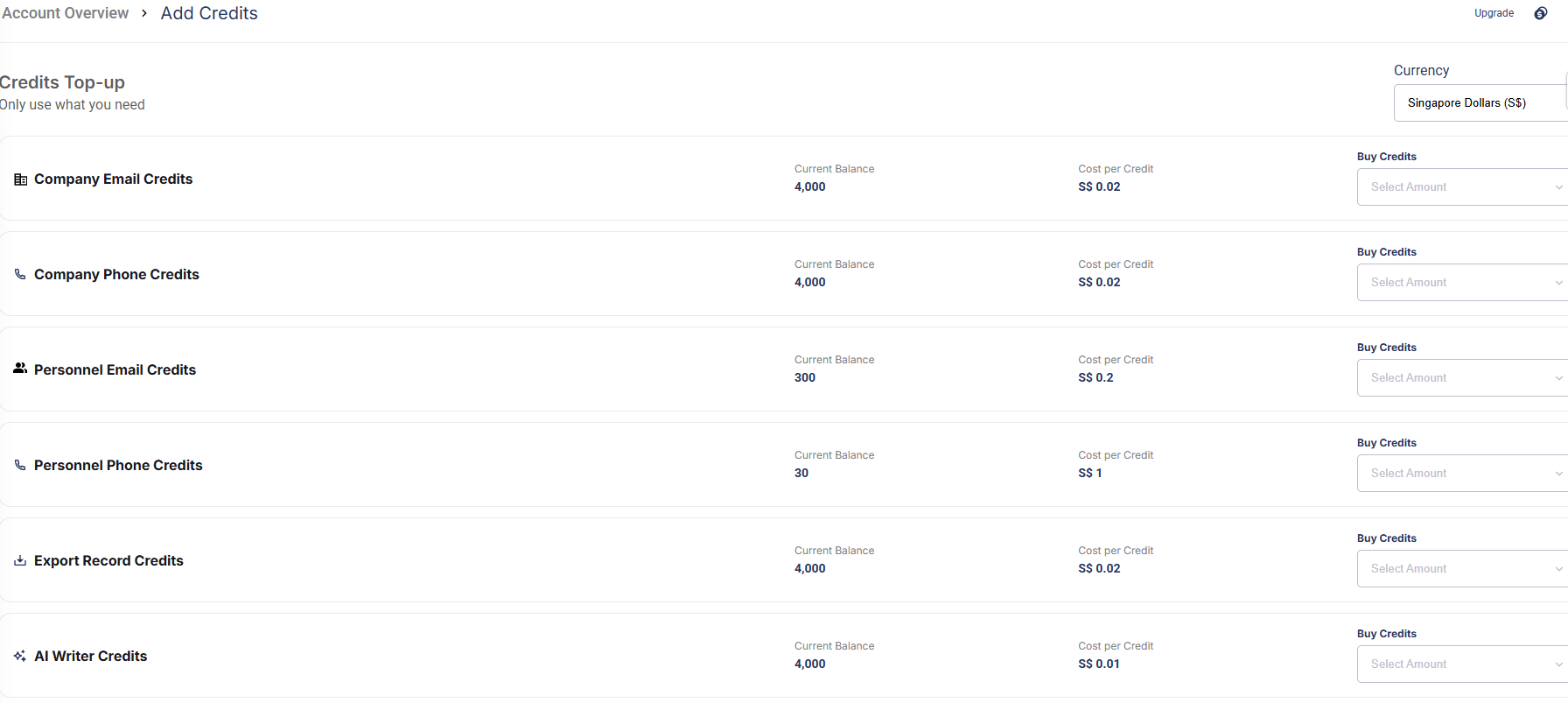
Select the preferred currency for payment of the additional credits.
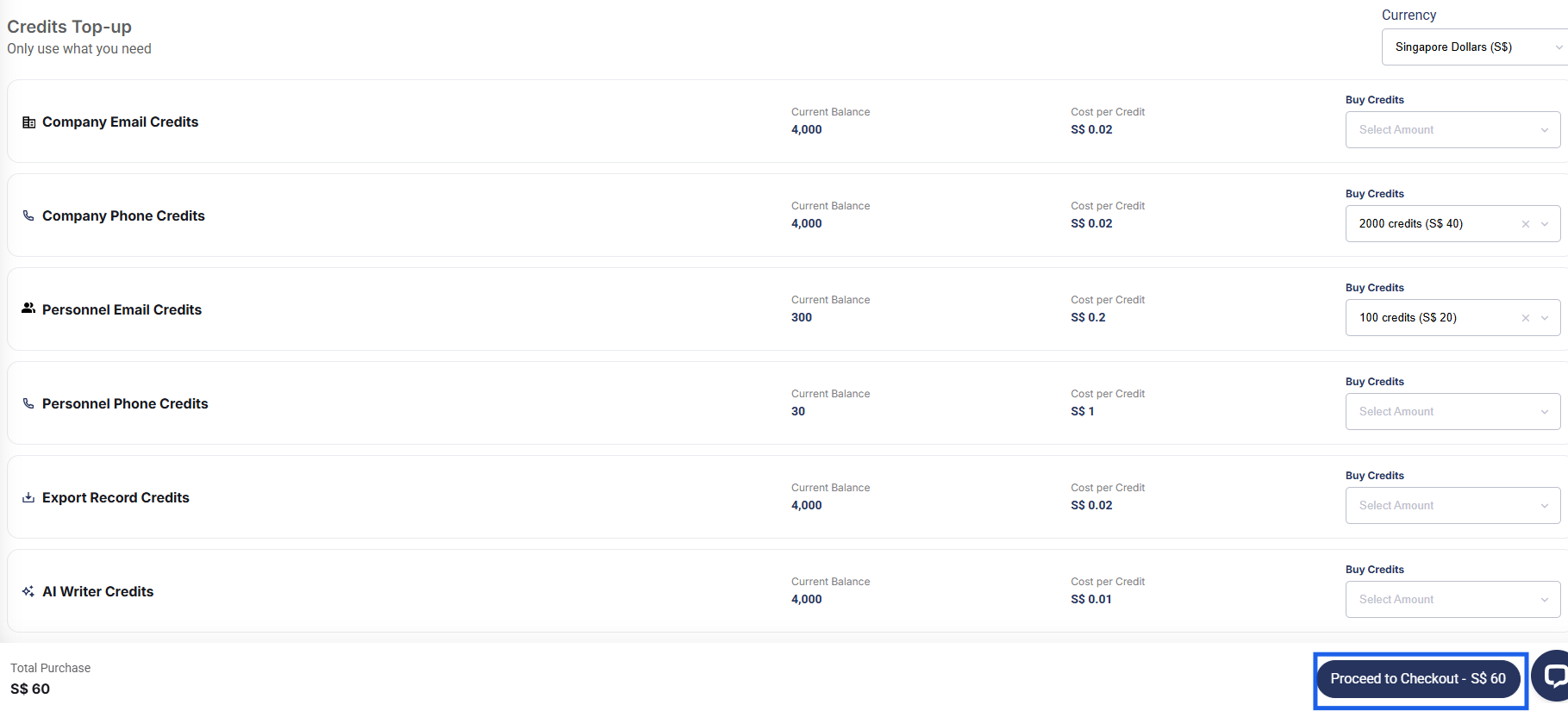
- Click Proceed to Checkout to complete the purchase.